
The Welcome to Elderfield Forge opens through Molly's early Workshop progression. Find Molly on the route toward the farm, complete Helping Molly by obtaining the requested Copper Ore with her Rusty Pickaxe, and finish the return conversation. That route opens the Workshop and provides the Furnace and its blueprint, establishing the ore-to-bar-to-equipment loop.
“Forge upgrade” can mean three different things in player searches: unlocking the Workshop, installing the recorded tier-two Forge upgrade, or raising an individual item's level at the anvil. These are separate systems. Identify which result you need before gathering materials, because a Furnace, Forge, Lapidary Table, and anvil do not perform the same job.
Welcome to Elderfield forge upgrade routes
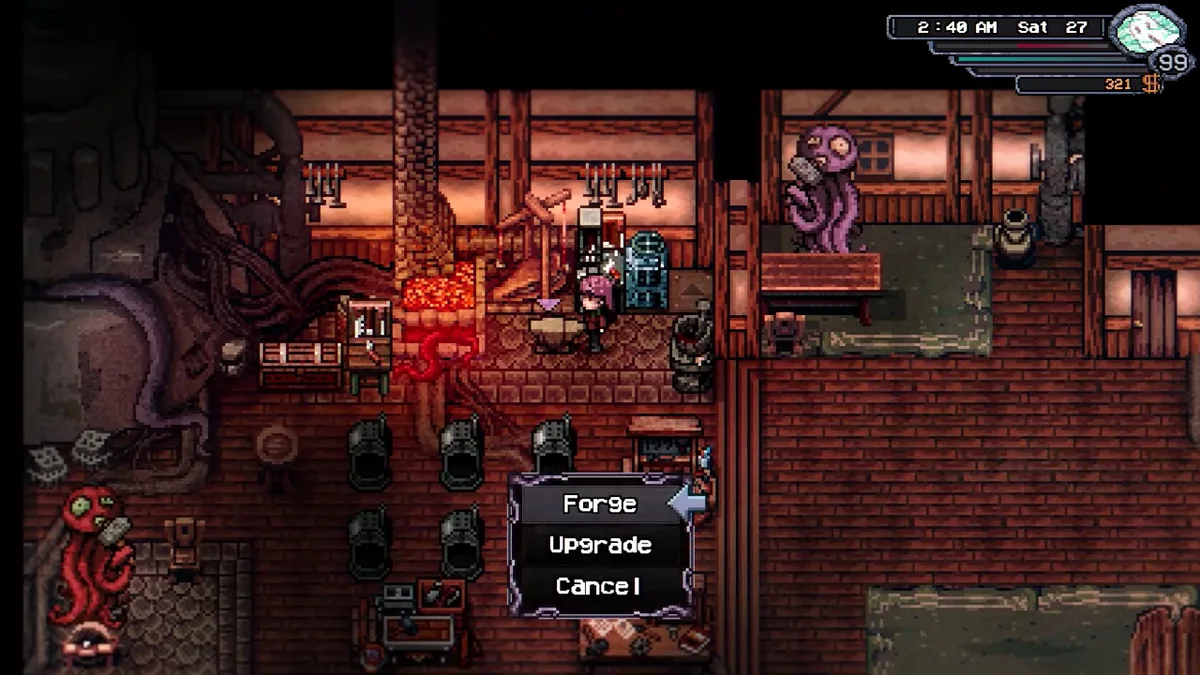
| Goal | Required route | Result |
|---|---|---|
| Enter Molly's Workshop and use the first Forge | Complete Helping Molly and its hand-in | Workshop access, early forging, Furnace reward and blueprint |
| Smelt ore into bars | Place and use the Furnace | Processed materials for many Forge recipes |
| Unlock equipment level upgrades | Complete Molly's The Elder Gem, craft the Lapidary Table, place it on the Workshop upgrade platform | Equipment Upgrading becomes available at the anvil and consumes gems |
| Add the documented Forge Upgrade (t2) | Complete stage one of Ansel's An Adventurous Spirit | Recorded tier-two Forge upgrade route; verify the current menu because the source labels part of this data as outdated |
| Improve an axe specifically | Follow the tool's prerequisite and Forge recipe | A new axe tier, not a global Forge level by itself |
Start with the goal in the first column. If you cannot enter the Workshop, later materials are irrelevant. If the Workshop is open but an individual item lacks an Upgrade option, check The Elder Gem and the Lapidary Table. If a Verdite or Platinum recipe is absent, investigate the tier-two route and version state rather than assuming the anvil is broken.
The Molly quest guide covers her conversations and schedule. This page stays focused on stations, unlocks, material flow, and why the expected Forge option may be missing.
Unlock Molly's Workshop and Forge

Molly's Workshop sits along the route toward the farm in the Outskirts. Reaching the building is only the location step. The functional unlock comes from completing her introductory task and returning the requested material.
Use this order:
- Progress far enough to reach Molly's Workshop route.
- Speak to Molly and accept Helping Molly.
- Keep the Rusty Pickaxe associated with the task.
- Enter the accessible beginner mining route and obtain Copper Ore.
- Return to Molly with the ore still in the inventory.
- Complete the conversation until the journal updates and the Workshop becomes usable.
- Confirm the Furnace reward or blueprint before leaving.
Do not smelt, sell, or discard the requested Copper Ore before the hand-in. The task asks for the ore, while many Forge recipes ask for a processed bar. Copper Ore and Copper Bar are not interchangeable. If the journal still names Copper Ore, present the raw material first; process later ore after the Workshop route is secure.
Molly now follows a schedule and is not guaranteed to stand inside the Workshop all day. Community guidance from the developer says she can visit other Town locations and may be more likely to return during night or bad weather when she is not at the Saloon. Treat that as a search strategy rather than a fixed timetable. Check the journal, Workshop, nearby route, and another time period before concluding the task has failed.
Separate the Furnace, Forge, Workbench, and anvil
Many “missing forge upgrade” reports are station mistakes. Elderfield divides production across several interfaces:
Furnace processes ore
The Furnace is a placeable station used to smelt materials. Molly gives one and unlocks its blueprint after Helping Molly. Put it in an allowed placement area such as the Home, Farm, Ranch, or Workshop, then use it to turn supported raw materials into the processed forms required by recipes.
A Furnace does not create the finished sword, tool, or armor piece. If a recipe asks for Copper Bar, the Furnace helps produce the bar; the Forge consumes it. When a player owns enough Copper Ore but the Forge still shows missing Copper Bars, the recipe is behaving normally.
Forge creates listed equipment
The Forge is the equipment-production interface. Captured recipe data lists weapons, armor, accessories, and tool tiers here. Early entries can be automatically available, while later entries may depend on progression, blueprints, or the recorded tier-two upgrade.
Read the full recipe before mining. Several weapon lines require the previous weapon as an ingredient, which means selling or losing the earlier tier can stop the chain. The axe upgrade guide applies that rule to axes and explains why the Rusty Axe and Basic Axe have distinct sources.
Workbench crafts stations and blueprints
The Workbench creates general crafted objects, including stations whose blueprints have been learned. The captured item record identifies the Lapidary Table as a Workbench craft after The Elder Gem. Owning the blueprint and having the finished table are separate states. If the blueprint exists in records but equipment upgrading is still locked, check whether the table was actually crafted and placed.
Anvil upgrades equipment levels
The recorded Lapidary Table description says it unlocks Equipment Upgrading at the Anvil. Upgrading consumes gems to increase item level. This is different from forging the next named item in a weapon or tool line. An item-level increase can improve the existing piece; a Forge recipe can create a new piece with a new name and ingredient chain.
Before spending gems, verify the exact item selected and the result shown by the interface. The available evidence does not support inventing a universal upgrade cap, gem cost, or stat increase. Those values should be read from the current anvil screen.
Unlock equipment upgrading with The Elder Gem
The evidence links Molly's The Elder Gem task to the Blueprint: Lapidary Table. Once crafted, the table is placed on the Workshop's Forge-upgrade platform. Its presence unlocks equipment upgrading at the anvil.
Treat the process as four checkpoints:
- The Elder Gem task has been offered and accepted.
- Its objective has been completed and returned to Molly.
- The Lapidary Table blueprint is visible as learned.
- The finished table has been crafted and placed in the correct Workshop location.
If one checkpoint is missing, repeating the later interaction will not repair it. A table sitting in general inventory is not the same as a table placed on its dedicated platform. Likewise, a visible anvil does not prove its equipment-upgrade function is unlocked.
The task title suggests a gem-related objective, but this guide does not invent the exact requested material or location where the captured evidence is incomplete. Use the active journal wording for that step. This preserves the reliable relationship—task, blueprint, table, anvil—without turning a guessed gem name into a blocker.
Understand the recorded Forge Upgrade tier two
The captured item table lists Forge Upgrade (t2) as a separate upgrade and associates it with stage one of Ansel's An Adventurous Spirit in the Old Woods. Captured Forging tables mark Verdite, Platinum, and Plague Doctor entries as requiring Forge Upgrade (t2).
Those same community records warn that the Forging page may be outdated. That creates a clear verification rule:
- Complete the documented Ansel stage if it is available in the current build.
- Return to the Workshop and inspect the Forge interface.
- Compare the newly visible recipe names, not only the label “t2.”
- Read the current ingredient list before gathering rare materials.
- Preserve a screenshot when the live menu differs from the table.
Do not publish or follow an exact tier-two material cost unless the installed interface confirms it. The current evidence identifies the progression source and examples of gated recipe families, but not one reliable universal construction bill. That limitation is preferable to sending players after an invented number of bars or gems.
The Old Woods walkthrough helps with route access. Ansel's task progression belongs to that area; Molly remains the Workshop and Forge contact. Visiting Molly repeatedly cannot substitute for an Old Woods stage that has not been completed.
Plan materials without wasting earlier equipment
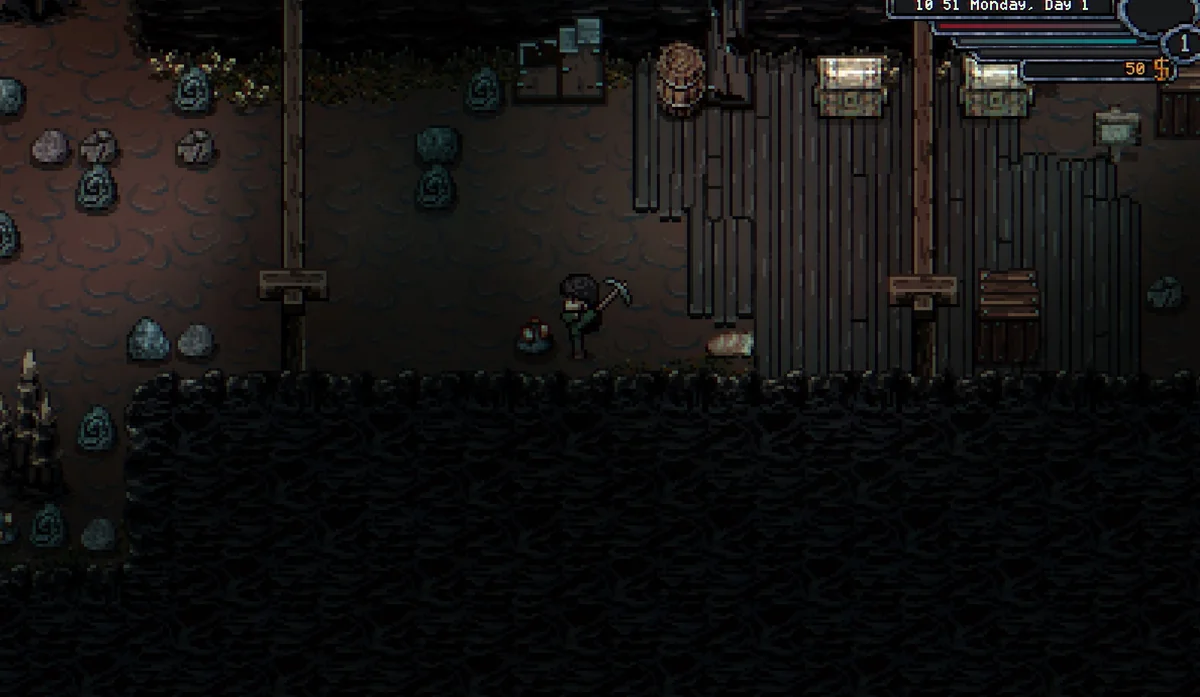
Forge recipes often form dependency chains. A later staff can consume an earlier staff; a later armor piece can consume its predecessor; tools can require the previous tier. Read from the desired result backward:
- Select the final item visible in the current Forge.
- Note every material and predecessor item.
- Open the predecessor recipe and repeat until reaching an item already owned.
- Separate raw ore from smelted bars.
- Reserve unique drops, gems, leather, wood, or Spiritwood before crafting unrelated items.
- Craft one chain at a time and confirm the result after each step.
This method avoids two expensive mistakes: consuming a predecessor in the wrong recipe and smelting or selling a material needed in raw form. It also exposes an access problem early. If the final recipe is not visible, collecting its rumored materials cannot make it appear.
For combat equipment, choose around the target rather than the largest-looking attack number. Weapon types and additional effects can matter, while heavy items may trade agility, hit rate, magic attack, or defense for raw attack. The combat guide explains how to diagnose the previous loss before committing to a new weapon.
Forge recipe visibility and version limits
A community wiki is useful for discovering possible recipes, but it can mix current entries, unfinished records, and data from earlier builds. The captured Forging page explicitly includes items marked “Requires Forge Upgrade (t2)” and also displays an outdated-page warning. Therefore, recipe visibility in the live game has higher authority than a copied table.
Use three confidence levels:
- Visible now: the recipe appears in the player's Forge with ingredients. It can be planned directly.
- Documented unlock, not yet visible: a reliable task or station relationship exists, but the player has not completed it. Follow that progression.
- Table-only or unverified: an entry exists in captured data without a currently verified acquisition path. Do not spend rare materials based on it.
This distinction is especially important for the tier-two upgrade. An unfinished label proves the concept was represented in data; it does not prove every old recipe, cost, or trigger remains unchanged.
Fix a missing Forge or upgrade option
| Symptom | Likely layer | Check |
|---|---|---|
| Workshop door or Forge unavailable | Helping Molly progression | Copper Ore objective, return conversation, journal completion |
| Molly is absent | Schedule | Workshop at another time, Town locations, weather, Saloon |
| Bars are missing despite owning ore | Furnace processing | Smelt the correct raw ore into the named bar |
| Item recipe is absent | Blueprint, story gate, or tier | Current journal, learned blueprints, Ansel stage, Forge t2 state |
| Upgrade tab does nothing | Lapidary Table route | The Elder Gem, blueprint, Workbench craft, correct placement |
| Anvil has no equipment-upgrade option | Table not placed or task incomplete | Verify the Workshop platform and journal hand-in |
| Recipe rejects materials | Wrong quality, form, or predecessor | Match every displayed item name exactly |
| Guide cost differs | Version drift | Trust the current interface and retain a screenshot |
After each correction, close and reopen the relevant station so the menu reflects the updated state. If the journal marks a task complete but the expected unlock remains absent, save, return to the title screen, and reload before repeating irreversible steps. Do not discard the save or rebuild every station until the simpler state checks are complete.
The most reliable Forge route is layered: Helping Molly opens the Workshop; the Furnace prepares materials; the Forge creates equipment; The Elder Gem and the Lapidary Table open item-level upgrading at the anvil; Ansel's documented stage leads toward the tier-two Forge path. Keeping those layers separate turns “my Forge is not upgraded” into one specific, testable missing checkpoint.
Verify the upgrade before spending the next rare material
After installing a station or completing an unlock task, make one cheap, reversible check. Open the Forge and photograph the recipe list, select the anvil and confirm Equipment Upgrading appears, or inspect whether the dedicated Workshop platform is occupied. Then compare the intended item's predecessor and material names with the inventory. This prevents a second upgrade attempt from consuming resources while the first one has already succeeded under a different menu label.
Store predecessor weapons, uncommon gems, and processed bars separately from ordinary sale stock. The game can require an earlier item as an ingredient, and a full material list may mix farm products, mine drops, monster materials, and quest-gated components. A labeled chest is a player organization method, not an unlock requirement, but it makes the actual progression state visible. If a recipe remains absent with every documented checkpoint complete, record the build version and menu state before reporting the mismatch; that evidence is more actionable than saying only that the Forge is broken.
Editorial verification
This guide was source-checked on . Confirmed game details, community observations, older-build behavior, and unresolved evidence gaps are identified in the article instead of being presented as equally certain.
Found an outdated step or a version mismatch? Send a correction to Kevin.