
There is no verified Welcome to Elderfield Cheat Engine table provided with this guide. A historical request for an Alpha Demo table and a later request following the 1.0 release do not establish a working download. If your goal is to add money or items, WTE Mod Menu is a separate game-specific modification with documented features; it is not a .CT file and does not use the same installation method.
Welcome to Elderfield Cheat Engine table status
A usable table needs more than the game's name in a search result. You need an identifiable author, an actual .CT attachment, a stated game build, and enough information to match that build to your installation. Those details have not been verified together for a released-game table here.
This does not mean a table cannot exist. It means there is no supported table to recommend or a tested set of scanning steps to publish on this page. Describing an old request as a released table would send you looking for a file that the request itself does not supply.
The historical Alpha Demo discussion asked for unlimited money after the player failed to locate the value. A reply suggested a save editor, but did not identify a verified editor and workflow for the released game. A subsequent message asking for a table after 1.0 was also a request, not evidence that one had been completed.
Cheat Engine, mods, and save editors are different tools
| Tool type | What it changes | What that means for this game |
|---|---|---|
| Cheat Engine table | Instructions for interacting with a running process | A game-specific table and compatible build still need verification |
| Game-specific JavaScript mod | Plugin files and their registration in the game | WTE Mod Menu belongs to this category |
| Save editor | Values in a saved character or world | A generic recommendation does not prove compatibility with this save format |
| Built-in difficulty options | Settings exposed by the game itself | Useful when difficulty, rather than item spawning, is the real concern |
These categories are not interchangeable download labels. A file named with a .js extension does not become a Cheat Engine table because it offers money-related features. Likewise, replacing a plugin registry is not a step that belongs in a .CT loading tutorial.
Choose the method by the result you actually need. If you want to reduce combat pressure, begin with the game's own difficulty options described in the Welcome to Elderfield beginner tips. If you need a modification's item or convenience features, read its documented behavior before changing the installation.
A documented alternative for money and items
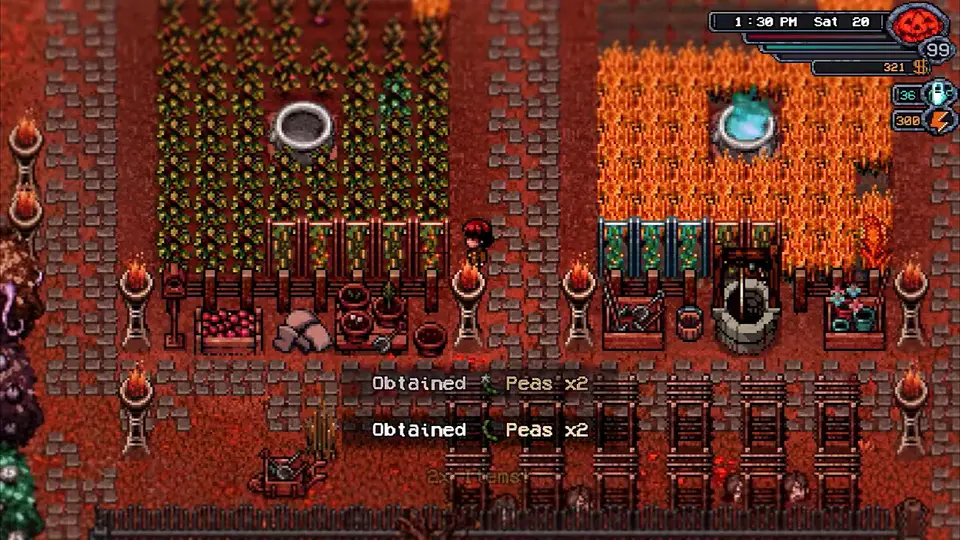
WTE Mod Menu includes money and item features alongside movement, crafting, farming, and mining options. It opens with F10 after its plugin has been installed and registered correctly. The Welcome to Elderfield mods guide covers the file locations, the distinction between a clean installation and an already modified one, and the known tradeoffs.
Installing that mod does not confirm that Cheat Engine scanning works. Its controls belong to a different mechanism, and its compatibility needs to be assessed separately. This matters if you are comparing instructions that mention F10, plugin files, a save editor, and a process selector as though they were one procedure.
Changes to money or items may remain in your save after you remove a mod. Reported money behavior can also affect accumulated-income achievements. Keep an unmodified backup if you want the option to return to the state before testing, rather than assuming that deleting the plugin reverses every change.
Item Spawner controls for money and inventory
If your immediate goal is adding a missing item or a chosen amount of money, Item Spawner - Money Cheat by YS0SICK4 is another documented alternative. Its version 3 lists game version 1.0.0 as compatible. That is the mod author's compatibility statement; it does not establish support for every later build or for the Alpha Demo.
The package uses ItemSpawner.js in js/plugins/ and a replacement plugins.js in js/. Preserve the original registry before replacement, especially if another modification already uses it. The mod installation guide explains the difference between the script directory and the registry file.
Open the menu with F10 and close it with Esc. In item mode, search for the item and check its picture before selecting it. Click or Enter adds one; holding Shift adds ten, while holding Ctrl adds one hundred. Start with the quantity you actually intend to use.
Tab switches between item mode and gold mode. In gold mode, type the amount and press Enter to add it. These are plugin controls, not Cheat Engine shortcuts. Do not install two F10 menus together and assume their inputs or registry changes will combine correctly.
Slow the clock without changing movement speed
For a search motivated by short days, Time Speed Slider - Longer Days by xVados offers a more specific adjustment than a money tool. Its Windows Steam version adds Time Speed under Options → General. The documented range is 10% to 100% in ten-percent steps; its default of 50% makes days last twice as long, and 100% restores the original rate.
The setting applies immediately and is saved when you leave Options. Movement, animation and combat retain their usual speed, while sleeping and scripted time jumps behave normally. Clock-driven processing and events take longer in real time, so a slower day also means waiting longer for those systems.
The package provides Install.cmd and Uninstall.cmd; a nonstandard game location needs the GameDirectory value in Manage-Time-Speed.ps1 adjusted first. Compatibility with other clock or Options modifications is untested. This changes the game's clock through a plugin, not through a verified CE speedhack table.
Unsupported scanning instructions to avoid
No game-specific value type, pointer, offset, or AOB pattern is established here. A generic “search the amount, spend some, search again” video for another game does not supply those missing details. Neither does knowing that Elderfield uses an RPG Maker-based project establish a universal numeric encoding for every value.
The same limit applies to freezing HP, changing inventory counts, or modifying relationship values. Without a matching table or a reproducible game-specific method, those features would be guesses rather than instructions. This guide therefore does not provide invented memory addresses or a pretend list of working cheats.
If you already have a candidate table, first compare its own description with your game edition and build. Keep the original save separate, and do not overwrite it merely to find out whether a poorly identified file happens to work. A table being able to open in a tool is not the same as its entries affecting the intended game values correctly.
Old cheat-menu references do not identify a current shortcut
Older development material used the term cheat menu item spawner. That establishes that the term existed in the game's development history. It does not establish a released-game keyboard shortcut, an accessible console, an unlock condition, or a Cheat Engine attachment.
Do not infer a hidden menu key from that phrase alone. If your installation exposes a menu through an installed mod, identify that mod before treating the menu as a built-in feature. This distinction prevents older development notes from turning into unsupported instructions for the current player interface.
Keep launch problems separate from cheat support
A modified game that stops launching needs a clean comparison before additional tools are introduced. Keep track of the plugin files and registry changes already made, and restore a known setup when testing the original launch behavior. The splash-screen crash guide separates runtime, user-data, imported-save, and platform-related failures.
Adding a second modification to a broken installation makes the result harder to interpret. First confirm that the base game can launch and load the save you intend to protect. A working game installation is a prerequisite for meaningful testing, but it still does not make an unverified Cheat Engine table compatible.
Editorial verification
This guide was source-checked on . Confirmed game details, community observations, older-build behavior, and unresolved evidence gaps are identified in the article instead of being presented as equally certain.
Found an outdated step or a version mismatch? Send a correction to Kevin.