
For a Welcome to Elderfield splash-screen crash, first establish whether you see the Kwalee logo, hear the introduction without a picture, or get no game window at all. On Windows, start with a restart, a check for a leftover game-related nw.js process, and a direct launch of Game.exe. On Linux or Steam Deck, Proton 9.0-4 is the documented compatibility option to try; no single method is guaranteed to fix every installation.
Welcome to Elderfield launch failure symptoms
The point where startup stops helps narrow the next action. A video that begins and then fails is different from a process that closes before drawing a window. Avoid treating every result as the same black-screen problem, especially if an older tip assumes you have already reached the title screen.
Record the edition and version of the game, your operating system, and whether the same installation has ever launched successfully. Also note whether you moved a Patreon alpha save into it or installed a mod. These details give a useful starting point without assuming that any one of them caused the failure.
| Startup result | First useful check | Information to retain |
|---|---|---|
| Steam returns to Play and no window appears | Restart, inspect leftover processes, then try Game.exe directly | Whether a process appears briefly and whether direct launch differs |
| Kwalee logo appears, then the game closes | Graphics driver and introductory video branch | Last visible frame, sound, and any LoadError |
| Introductory sound plays with no picture on Linux | Proton compatibility branch | Exact Proton version and Demo or released edition |
| Content file locked appears during installation | Installation location and file-lock branch | Whether the library is cloud-synced or on an external drive |
| Failure begins after importing an alpha save | Protected save-isolation test | Original save build and whether a clean start reaches the menu |
If you can play normally until the in-game clock reaches midnight, use the midnight crash guide instead. Startup troubleshooting does not automatically apply to a crop update or a map transition inside an already running game.
Start with a controlled Windows launch test
Close the game and restart the computer before making several configuration changes. Then try launching the game once, noting whether the result changes. If it launches after restarting but fails again later, that pattern is worth retaining because it differs from an installation that never opens.
Open Task Manager and check for a leftover nw.js process belonging to this game. If you can identify that the failed launch left it running, end that process before trying again. Do not assume every similarly named process belongs to Elderfield, since the name alone is not a complete identification of the program using it.
Next, locate the installed game files and run Game.exe directly. This tests a different launch path from pressing Play in Steam. Record whether it reaches the logo, reaches the menu, or closes at the same stage; “still broken” is less useful than knowing that both routes fail identically.
Running Game.exe as administrator is another documented Windows troubleshooting attempt, not a required way to play. Try it separately if ordinary direct launch fails, and retain the result. If it makes no difference, there is no reason to keep adding elevated launches to every later comparison.
Check your graphics driver before moving to file replacement. A driver update was suggested for failures involving the introductory video, but successful installation of a driver is not proof that the game now works. Repeat the launch and verify the actual point at which the previous attempt stopped.
Kwalee logo and introductory video failures
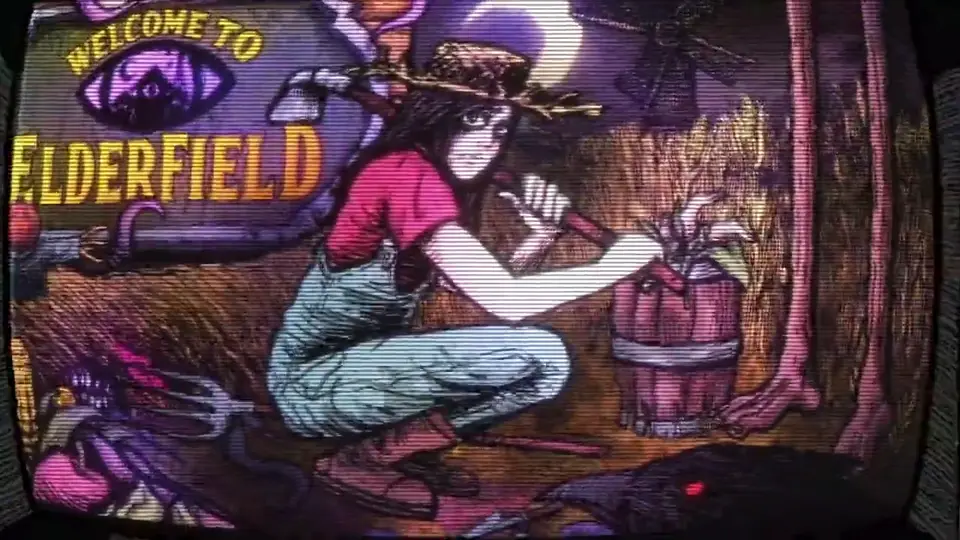
A failure after the Kwalee splash can involve playback of a .webm introduction. An older Demo error specifically named movies/1.webm and reported a LoadError. That is more informative than a generic description such as “the game crashes on startup.”
If an error message names that file, copy the complete visible message or capture the screen before closing it. Do not append a stack trace from a fishing crash or another report just because it also mentions JavaScript. The visible filename and the stage of startup are the relevant clues in this branch.
Demo v0.11.17 changed how the title videos render to improve compatibility, including some Proton environments and some systems that closed after the Kwalee splash. If you are still using an older Demo, establish that before troubleshooting it as though it were the released game. The change addressed some systems; it was not a guarantee that every subsequent launch failure had been eliminated.
A restart that temporarily allows the video to play suggests a different pattern from a permanently missing file. Note what changed between the successful launch and the later failure, including software that started in the meantime. This is a reason to compare conditions, not a basis for declaring a particular security tool responsible without evidence.
Linux and Steam Deck compatibility
The September 10 launch guidance specifies trying Proton 9.0-4. Record the compatibility version currently selected before changing it, then test that version on its own. If it does not improve the result, you should still know how to restore the previous setting.
An older Linux Demo case succeeded with Proton 9.0, but that result belongs to that Demo and setup. It should not be turned into a claim that all other Proton versions are incompatible. Keep the precise version in your notes instead of reducing every comparison to “Proton 9.”
Separate reaching the main menu from performance after loading a save. A machine can launch correctly and still pause during a map transition or while opening a storage interface. Those pauses need a different description from a splash screen that never completes.
If your installation is modified, distinguish it from an unmodified game when comparing results. A compatibility status for the base game does not establish that every third-party mod or replacement runtime works under the same conditions. The mods overview explains those differences before you add another variable to a failed launch.
Content file locked and installation location
Content file locked is an installation or update symptom, not simply another name for a game crash. The documented troubleshooting discussion identifies a cloud-synced installation directory or an external drive as possible contributors. Check where the game library is actually stored before repeating the same unsuccessful reinstall.
If you test the game from another location, preserve the original folder and know which copy you are launching. A desktop copy was among the suggested launch comparisons. That test can reveal a difference associated with the location, but it does not by itself explain whether synchronization, permissions, or another process was responsible.
Do not mix files from several attempts into one folder without a record of what changed. A directory containing a partially replaced runtime and an interrupted reinstall is harder to compare with a normal installation. Return to a known set of game files before deciding that a location test failed.
Reinstalling is a documented option, but it should have a purpose. It can restore a clean installation when files are missing or have been replaced. It does not promise to remove an unrelated application conflict, and it should not be used as a reason to discard save backups.
A protected test for imported alpha saves
If startup problems began after moving a Patreon alpha save into the game, the save-fixing process is one possible area to investigate. Keep the imported save before trying to separate it from the installation. The goal is to see whether the game starts without that input, not to decide in advance that your character must be deleted.
Use a separate backup location and label it with the original build if you know it. Then temporarily move the relevant save folder out of the test installation and attempt to reach the menu. If the game still cannot display a window, record that result instead of continuing to blame a save it is no longer loading.
If startup succeeds without the imported save, the comparison is useful but not a completed repair. Preserve both the successful clean-start condition and the original file. Reintroducing or converting the save without understanding the failure could bring the same problem back, so avoid repeatedly overwriting your only copy.
This branch does not apply simply because a player has an old character. The important condition is the relationship between the imported alpha data and the onset of the failure. A newly installed game that has never loaded that data needs a different diagnosis.
User-data isolation without deleting unrelated games
Another reported launch workaround involved the game's user-data directory under %appdata%. The names mentioned include Welcome to Elderfield and WelcometoElderfield. These are possible folder names to identify carefully, not instructions to remove every folder with a vaguely similar name.
Close the game before testing user data, and make a backup of the specific folder you have identified. Moving a backed-up folder aside gives you a way to compare a fresh user-data state and restore the original afterward. Keep this test separate from moving the save folder, since changing both at once obscures which difference mattered.
If the game launches after user-data isolation, verify more than the opening logo. Check the menu and the state of your available saves before treating the setup as usable. A clean menu with your usual data temporarily absent is a diagnostic result, not proof that all progress has been recovered.
There is no need to delete other RPG Maker games' data as part of this guide. The available reports do not establish a reproducible cause that justifies sweeping changes across unrelated games. Keep the test limited to the Elderfield data you can identify and restore.
Citrix-related conflicts
Citrix Workspace and leftover Citrix DLLs appeared in successful individual launch reports. That makes Citrix relevant when it is actually installed or its remnants are known to be present. It does not make removing arbitrary background software a general requirement for running Elderfield.
If you rely on Citrix for work, do not casually remove it just to try every item on a checklist. First establish whether this condition matches your machine and whether changing it is acceptable for your setup. A workplace-managed installation may require an administrator to assess the conflict.
A useful result states that the game failed with the identified component present and launched after a specific change and restart. It should also retain whether any other change happened at the same time. Without that comparison, a successful later launch cannot confidently be attributed to Citrix alone.
A bundled log mentioning the developer's Windows folder
A log containing C:\Users\Chris can come from a development session included with the game. That path does not mean your installation is trying to find the developer's personal folder. Do not create a matching Windows user or directory just to make the string disappear. Instead, distinguish the bundled historical log from the error produced by your current launch.
The executable version printed inside such a log also need not be the game's content-version label. Keep the installed game build and the log's file-version details separate when comparing a fix. An old log can remain present while the current failure has a different trigger. Use the message or behavior from the launch you just tested to choose the next branch.
Runtime replacement and its tradeoffs
Replacing the bundled NW.js runtime helped some Windows users launch, but it also failed for others. At least one successful case reported that Steam achievements stopped working. Treat this as an advanced workaround with functional tradeoffs rather than a standard first step.
The documented attempt used the Windows x64 package from the official NW.js site and copied its files over the game files and launched nw.exe directly, not Game.exe. That executable distinction is essential when interpreting the result. The successful reports did not establish one universally compatible runtime version, so this guide does not present a particular replacement package as a verified fix for your build.
Before any runtime experiment, preserve the unmodified installation and your game data separately. Record the runtime version, the files changed, and which executable you ran. If the test fails or disables a feature you need, restore the original setup instead of continuing to layer fixes onto the modified copy.
A game that reaches the menu through nw.exe has passed that launch test only. Verify loading, saving, and the Steam features you use before calling the workaround satisfactory. If achievements are important to you, a result that disables them may not be an acceptable resolution even though the window opens.
Confirm the result before returning to the game
A useful verification sequence is to launch, reach the menu, load a save, and confirm that the game still behaves normally after closing and reopening it. For a problem that appears only after the computer has been running for a while, also repeat the later condition that previously triggered it. One successful launch immediately after restarting may not cover that pattern.
Keep the exact error, platform, edition, build, and successful or unsuccessful comparisons together. If all relevant attempts fail, stop making unrelated changes and preserve a clean installation plus your backed-up data. There is no established one-click fix covering every Welcome to Elderfield splash-screen crash, and a precise unresolved case is more useful than a false promise of success.
Handle low FPS after the game opens
If you can reach normal gameplay but movement stutters or frame rate stays low, use the low FPS settings guide. It covers in-game effects and performance comparisons after a successful launch.
Editorial verification
This guide was source-checked on . Confirmed game details, community observations, older-build behavior, and unresolved evidence gaps are identified in the article instead of being presented as equally certain.
Found an outdated step or a version mismatch? Send a correction to Kevin.