
Welcome to Elderfield has a confirmed Windows PC release, but no Nintendo Switch release date or port announcement is confirmed as of October 9, 2026. The game launched on Steam on September 10, 2026. Steam Deck compatibility and controller support belong to the PC release; neither establishes a Nintendo Switch edition.
If you only own a Switch, there is currently no confirmed edition or launch date to plan a purchase around. If you also have a compatible PC or Steam Deck, those are separate options. Check the platform attached to the actual game listing before buying.
Separate the confirmed PC release from a Switch port
The current Steam listing identifies Chris Cote as developer and Kwalee as publisher. Its system requirements specify Windows 10 and a 64-bit operating system. This is the released PC game, rather than a console announcement.
| Platform or feature | Status checked October 9, 2026 | Meaning for a purchase |
|---|---|---|
| Windows PC on Steam | Released September 10, 2026 | A confirmed way to buy the released game |
| Steam Deck | Listed as Verified on Steam | A handheld option using the Steam release |
| Nintendo Switch | No confirmed release date or port announcement | Do not assume a Switch edition is available |
| Xbox and PlayStation controller support | Listed for the Steam game | Supported input devices, rather than console editions |
| Multiplayer | The Steam game is listed as single-player | Do not buy expecting a co-op session |
An unconfirmed port is not the same as a canceled port or a promise that the game will never reach Switch. There is simply no confirmed Switch launch information to give you now. A date for the PC release cannot serve as a date for another platform.
Treat Steam Deck as a distinct handheld option
The Steam storefront marks Welcome to Elderfield as Steam Deck Verified. That is relevant if you own a Deck and want to play the Steam version away from a desktop. It does not mean the game can be installed through Nintendo's store, and a Deck gameplay video does not establish a Switch build.
The September 18, 2026 update addressed Steam Deck stuttering and frame drops. The developer recommended Full Screen ON and Stretch Screen OFF for the best results. Those are recommendations for that device and update; they are not Switch settings or a guarantee of a fixed frame rate in every scene.
If you already have the PC game and experience performance problems, use the Low FPS and stuttering guide to distinguish the symptom before changing settings. Steam Deck status answers compatibility at the platform level, while an individual performance issue still needs its own checks.
Understand the PC controller features
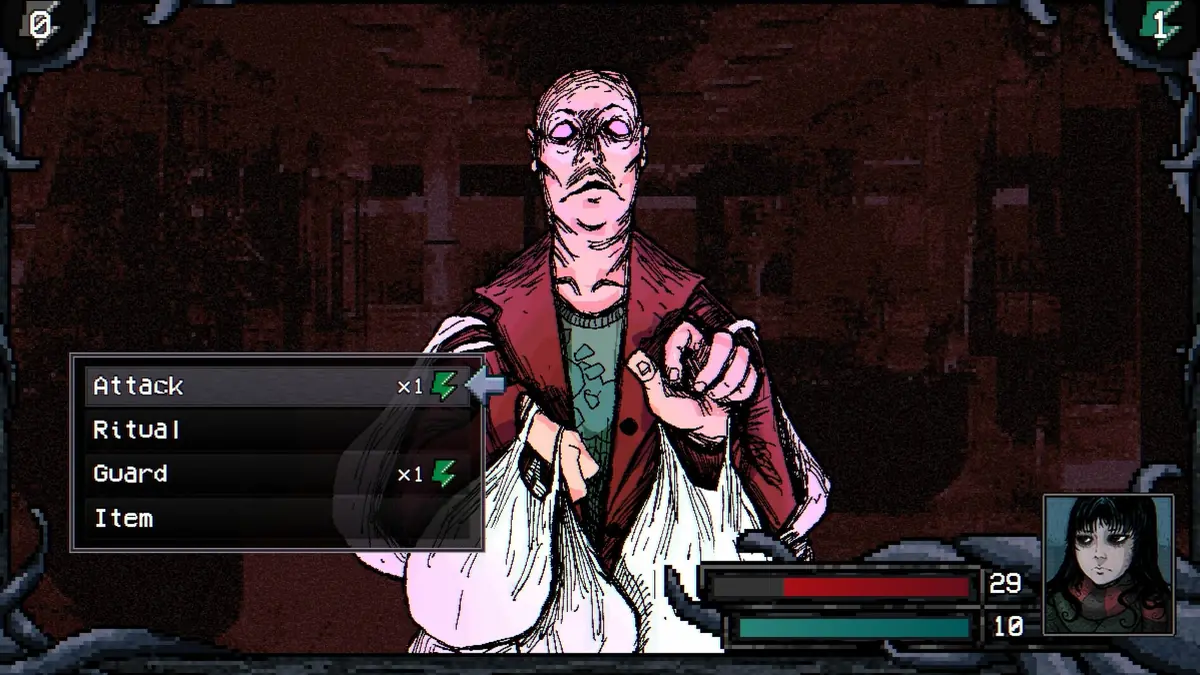
Steam lists full controller support with Xbox and PlayStation controllers. You can therefore consider controller input as part of the PC purchase decision. The names refer to controllers connected to the computer or Steam environment, not to separate Xbox or PlayStation releases.
The game combines movement, menus, farming and turn-based combat. For the broader experience behind those controls, read the review and buying guide. A preference for playing with a controller does not by itself settle whether the horror, resource gathering and combat loop is a good fit.
Use the current Steam demo for a PC decision
The Steam listing offers a free demo. Trying it is a practical way to assess the available PC experience before purchasing, provided you have a compatible device. A Steam demo does not provide a way to run the game on a Switch.
The developer's itch.io page still describes an older Alpha demo. Its descriptions of planned areas and the fraction of the finished game represented by that build belong to the older development material. Do not assume an old Alpha feature list, download or save file exactly matches the released Steam game.
No save-transfer promise is established here. If carrying progress into the paid game matters to you, confirm the information attached to the specific demo build you use rather than assuming all earlier demos share the same behavior.
Check PC requirements before choosing the alternative
If a PC purchase is your fallback, compare your machine with the stated requirements. Hand-drawn or pixel-style presentation does not remove the need to check hardware.
| Requirement | Minimum listed on Steam |
|---|---|
| Operating system | Windows 10, 64-bit |
| Processor | Intel Core i5-11600K or AMD Ryzen 5 5600X |
| Memory | 8 GB RAM |
| Graphics | NVIDIA GeForce GTX 1050 Ti or AMD Radeon RX 570 |
| DirectX | Version 11 |
| Storage | 2 GB available space |
| Sound | DirectSound-compatible sound card |
| Display | 1280 × 768 minimum resolution |
The recommended memory is 16 GB RAM, with the listed graphics alternatives including a GTX 1650, RX 570 with 4 GB, RX 5500 or RX 5300. These are PC requirements, not specifications for an announced console edition.
Recognize a genuine future platform announcement
For a future Switch decision, look for an explicit platform name and release information tied to Welcome to Elderfield. A video title, a controller icon, a bundle announcement or the word “handheld” alone does not provide those details.
Confirm the edition, release date if one is given, and the store attached to that platform. Until those details exist, the useful choices are to wait for a confirmed announcement or assess the available Steam release on hardware you already own. Do not base a hardware purchase on an unannounced port.
Editorial verification
This guide was source-checked on . Confirmed game details, community observations, older-build behavior, and unresolved evidence gaps are identified in the article instead of being presented as equally certain.
Found an outdated step or a version mismatch? Send a correction to Kevin.